


EPIK - AI Photo & Video Editor
4.31.15K Reviews
App Specs
- Version
- 7.3.4
- Updated On
- License
- Free
- Downloads
- 50,000,000+
- Developer
- SNOW Corporation
- Categories
- Photography
- Platform
- Android, iOS
Screenshots
 Analysis by AppCompare
I often end up editing photos and short clips on the same device other people in my household use, and that changes what I want from an editor. I need to be able to make a quick, personal adjustment without turning the phone into a shared gallery project or handing someone else a half-finished edit. EPIK - AI Photo & Video Editor is aimed at creative editing rather than household organization, so I find it works best when each person treats their own edits as their own task and checks the screen before passing the device along.
One device, different editing habits
A realistic use for me is taking a casual group photo at home, choosing the best frame, and making a few changes before sharing it with the people in it. An editor that combines photo and video tools can be convenient when the same moment includes both a still image and a short clip. I can stay in one editing environment instead of switching between separate apps simply because the media type changed.
That convenience does not mean everyone will want the same result. One person may prefer natural color and minimal retouching; another may enjoy a stronger filter or decorative treatment. I would agree on the intended look before editing a picture meant for a group, and I would keep a personal experiment separate from the version I plan to send. That small habit helps avoid confusion when a device is shared.
Set boundaries before handing over the phone
When I use a shared device, I think about the whole editing session, not just the final image. Before passing the phone to someone else, I finish or leave the edit in a state I am comfortable showing, return to the relevant screen, and avoid leaving personal photos open. These are ordinary device habits rather than special features of the editor, but they matter more when an app brings photos and video together in one place.
I also try not to make a quick edit feel like an obligation. If someone else wants to use the phone, I save my work when appropriate and hand it over rather than assuming they should wait while I try one more effect. For a household that regularly shares a device, clear turns and a little care around personal media can make a creative app easier to live with.
Who will get the most from it?
I think this kind of all-purpose editor suits someone who wants to improve everyday pictures, explore different visual styles, and make occasional short-video edits without committing to a desktop workflow. It is particularly handy for people who like to compare an automatic enhancement with their own manual adjustments. The useful question is not whether AI should make every decision, but whether its first pass gives you a reasonable place to start.
On the other hand, I would not choose it as my main tool if I needed a tightly controlled, repeatable professional color workflow or detailed timeline editing for longer projects. A specialist photo editor may be a better fit for precise image work, while a dedicated video editor can offer a more focused environment for complex cuts. EPIK’s appeal is breadth and approachability, not replacing every specialized tool.
Worth Reading Before You Choose

Baby Panda World Brings Quick Play to Modern Phones, but Its Game Library Feels Busy

ESPN’s Live Game View Makes Following Close Games Easier

QuizzLand Review: A Good Fit for Short Trivia Breaks, Not Every Player

Basketball Stars: Multiplayer Is Fast, but Can It Recover When Matches Go Wrong?

WEBTOON Turns Phone Updates Into a Better Reading Routine

Link to Windows Runs on Shared Habits, Not Social Feeds
Getting Started with EPIK
First things first, downloading EPIK was a breeze. Available on both Android and iOS, you can find it easily in the app store, and it doesn’t take up much space on your device. Once installed, you're greeted with a sleek, intuitive interface that's both inviting and easy to navigate. As someone who's not a huge fan of complicated menus, this was a big plus for me.
AI-Powered Editing Tools
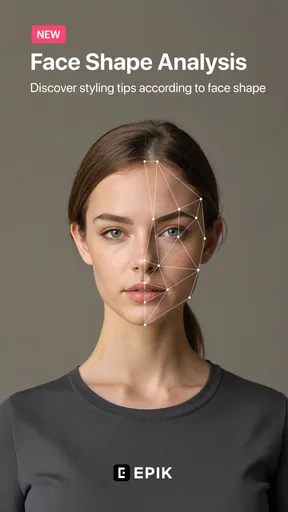
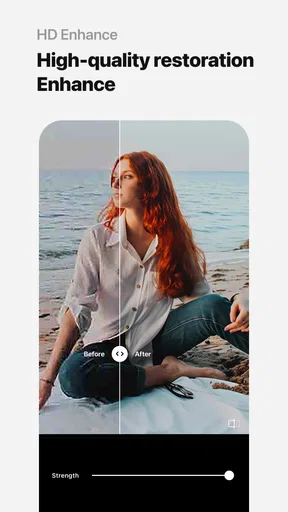
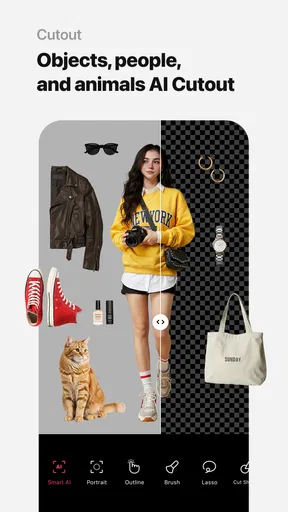
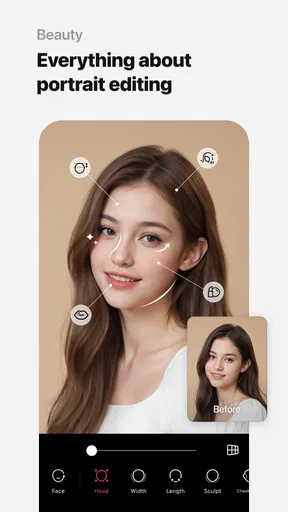
Now, let's talk about the heart of the app: the AI-powered tools. These are designed to make editing not just easy, but also fun. From enhancing colors to adjusting lighting automatically, the AI seems to understand exactly what your media needs to look its best. I tried out some of my less-than-perfect photos, and the results were genuinely impressive. The AI managed to highlight the right areas, making my shots look professionally edited.
My practical tip is to treat an automatic result as a draft rather than a final answer. I look closely at faces, bright areas, and skin tones before keeping an edit, since a broadly pleasing adjustment may not suit every subject equally. If the first pass feels too strong, dialing back the effect or returning to manual controls can preserve the character of the original. This matters especially with group photos, where one adjustment can affect several people differently.
Filters and Effects Galore
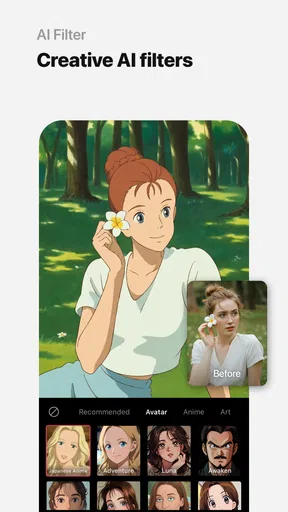
If you're a fan of filters, then you'll love what EPIK has to offer. The app provides a wide variety of filters that cater to different styles and moods. Whether you're going for a vintage look or something more modern, there's something here for everyone. I found myself experimenting with different filters just to see how they could transform my photos. Plus, the effects are not just limited to photos; you can apply them to videos too, which takes your TikTok and Instagram stories to another level.
When I am choosing a look for a set of related pictures, I try one filter on the strongest image first instead of applying a favorite across everything immediately. A filter that looks balanced on a bright outdoor shot may make an indoor photo feel muddy. For a shared album or a small batch of pictures from the same event, checking the images side by side helps me keep a consistent mood without making every frame look identical.
Video Editing Capabilities
Speaking of videos, EPIK isn't just a photo editor. Its video editing capabilities are just as robust. You can trim, cut, and merge clips effortlessly. The AI features also extend to video, automating some of the more tedious editing tasks so you can focus on creativity. I tried editing a short clip, adding transitions and effects, and the process was smooth and satisfying.
For an everyday clip, I would decide on the beginning and ending before spending time on decorative effects. A clean trim often improves a video more than another transition, particularly when the footage is meant to be sent to family rather than posted publicly. I also keep an eye on how a treatment looks across the moving image, not only on a single paused frame; an effect that seems subtle in a still preview can feel more noticeable once the clip plays.
Customization and Control
While the AI features are fantastic, sometimes you might want more control over your edits. This is where EPIK shines again, offering a range of manual editing tools. You can adjust brightness, contrast, saturation, and more. The sliders are responsive, giving you precise control over every detail. I appreciate this level of customization because it allows me to fine-tune my edits exactly to my liking.
A useful way to avoid over-editing is to change one thing at a time and pause between adjustments. I often make a small correction, look at the whole image again, and ask whether it still resembles the scene I remember. This is especially helpful after an automatic enhancement, because multiple strong changes can accumulate before I notice. For a natural-looking family picture, a restrained manual finish can be more flattering than pushing every slider toward a dramatic result.
Sharing Your Creations
Once you're happy with your edits, sharing them is a snap. EPIK integrates seamlessly with social media platforms, allowing you to upload your creations directly from the app. You can also save them to your device in high quality, ensuring your photos and videos look their best wherever you choose to share them.
In a shared-device setting, I would check the destination and the image before sending anything. A picture intended for a private family chat is not necessarily one I want to post publicly, and a quick final review can catch an unintended crop or an edit that feels too personal. Saving a finished copy also gives me a clear stopping point: I can share that version and avoid reopening the original just to make last-minute changes.
Coordination, accounts, and age context
For coordination, I would treat the editor as a tool each person uses in turn, not as a shared workspace with built-in household roles. If more than one person edits on the same phone, it helps to say who is working on which picture and whether the result is meant to be a draft or the final version. That is a simple way to prevent someone from mistaking another person’s experimental edit for the agreed image.
The app is free to download, with optional in-app purchases priced from under a dollar to just under fifty-two dollars per item. I would look at any purchase screen carefully before confirming, especially if a younger person is using a device where payment details are available. EPIK is rated for teens, so I would take that age context seriously and decide whether its creative tools are appropriate for the particular teenager and household. A rating is a useful starting point for a conversation, not a substitute for one.
SNOW Corporation makes this photography app, and its broad reach is reflected in an average rating of 4.3 from around 634,000 ratings, with over 50 million installs. Those figures tell me it has attracted a large audience, but they do not settle whether its style or workflow will suit a particular person. I would still try a few ordinary edits before deciding whether it belongs in my regular routine.
A Few Quirks
While I've had a great experience with EPIK, it's worth noting a couple of quirks. Occasionally, the app can be a bit slow, especially when working with high-resolution videos. Also, some advanced features are locked behind a premium subscription, which might be a consideration for those who prefer free apps. However, given the quality of the tools available, it might be worth the investment if you're serious about your editing.
That trade-off is why I would start with a specific task rather than exploring every option at once. If all you need is a quick crop or a basic brightness adjustment, the extra depth may be more than you want. If you enjoy trying different looks and moving between stills and clips, the wider toolkit may justify taking time to learn it. The free starting point makes it easier to judge the workflow for yourself, but I would not subscribe simply because a feature is visible; I would first decide whether I will use it often enough.
How it fits beside other editors
Compared with the usual choice of a basic built-in photo editor, EPIK gives me a more playful space to experiment with filters, effects, and AI-assisted changes. Compared with a specialist editing app, it is less compelling when I want one narrow task done with extensive technical control. Its strongest case is the middle ground: I can polish a casual photo, try a different style, and work on a short video without treating the job like a full production.
That makes it a good fit for social posts, snapshots from a day out, or short clips where speed and creative options matter more than a meticulous multi-stage workflow. I would choose a simpler editor for a one-tap crop and a dedicated video tool for a project with many clips and detailed timing. The decision is less about which app is universally best and more about whether I want a flexible creative toolbox or a focused instrument.
Version and device expectations
The current version is 7.0.120, and the app requires Android 10 or later on Android devices. If I were setting it up on an older household phone, I would check compatibility before planning to use it there. The app’s release date was August 11, 2021, but for a practical decision I care more about whether the current version runs well on the device I have and whether the editing tools fit the task.
I would also leave room for a little patience when working with demanding video files, since the editing experience can feel less immediate than a simple photo adjustment. For a quick post, choosing a shorter clip and trimming it before layering on effects is a sensible workflow. It keeps the task manageable and gives me a clearer idea of whether the app’s video side is enough for what I want to make.
Overall, EPIK - AI Photo & Video Editor is a powerful tool that offers both simplicity and depth. With its combination of AI features and manual controls, it caters to both beginners and more experienced editors. If you're looking to up your photo and video editing game, this app is definitely worth a try. Happy editing!
My household verdict
For a shared phone, I see EPIK as a capable creative app that works best with clear personal boundaries: take turns, review an image before sharing it, and be mindful of purchase prompts and age suitability. I would recommend it to someone who enjoys shaping photos and short videos, especially when they want more options than a built-in editor offers. I would skip it if my priority were a bare-bones tool, a highly technical photo workflow, or an elaborate video timeline. Its mix of accessible adjustments and room to experiment is appealing, as long as the household is comfortable managing edits and device use without expecting the app to coordinate that for them.
Pros
- Intuitive interface makes editing easy.
- Wide range of filters and effects.
- Supports high-resolution exports.
- AI features enhance creativity.
- Regular updates with new tools.
Cons
- Some features require in-app purchases.
- Can be resource-intensive on older devices.
- Occasional crashes reported by users.
- Limited free version capabilities.
- Ads can be intrusive at times.
FAQs for EPIK - AI Photo & Video Editor
What features does EPIK offer for photo editing?
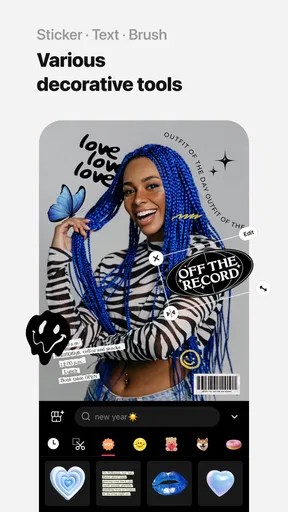
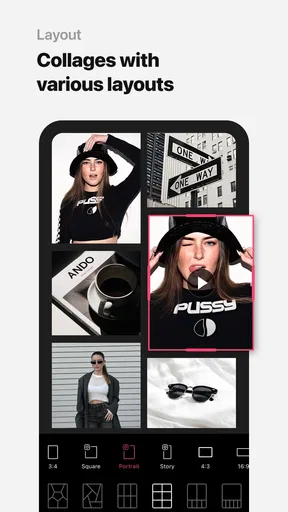
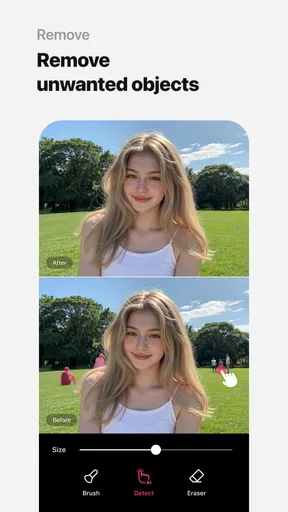
EPIK provides a wide array of features for photo editing, including filters, effects, and advanced AI tools for enhancing images. Users can adjust brightness, contrast, and saturation, and use AI-powered tools to retouch photos automatically. The app also offers options for adding text, stickers, and frames to personalize images.
Is EPIK suitable for beginners in photo editing?
Yes, EPIK is designed with user-friendliness in mind, making it suitable for beginners. The intuitive interface and guided tutorials help new users navigate through the various tools and features easily. Even those with no prior editing experience can create professional-looking edits with EPIK's simple controls and AI assistance.
Does EPIK offer video editing capabilities as well?
Indeed, EPIK is not just limited to photo editing; it also offers robust video editing features. Users can trim, merge, and add music to their videos, as well as apply filters and effects. The AI tools are also available for video enhancements, making it a versatile tool for content creators.
Are there any costs associated with using EPIK?
EPIK offers a free version with basic features available to all users. However, for those seeking advanced editing tools and premium effects, a subscription may be required. The premium version unlocks a wider range of filters, AI enhancements, and additional customization options, providing a more comprehensive editing experience.
What are the system requirements for downloading EPIK?
EPIK is available for both Android and iOS devices. For Android, it typically requires version 5.0 or higher, and for iOS, version 11.0 or later is recommended. Ensure your device has adequate storage space and meets the necessary software requirements to run the app smoothly and access all its features.


